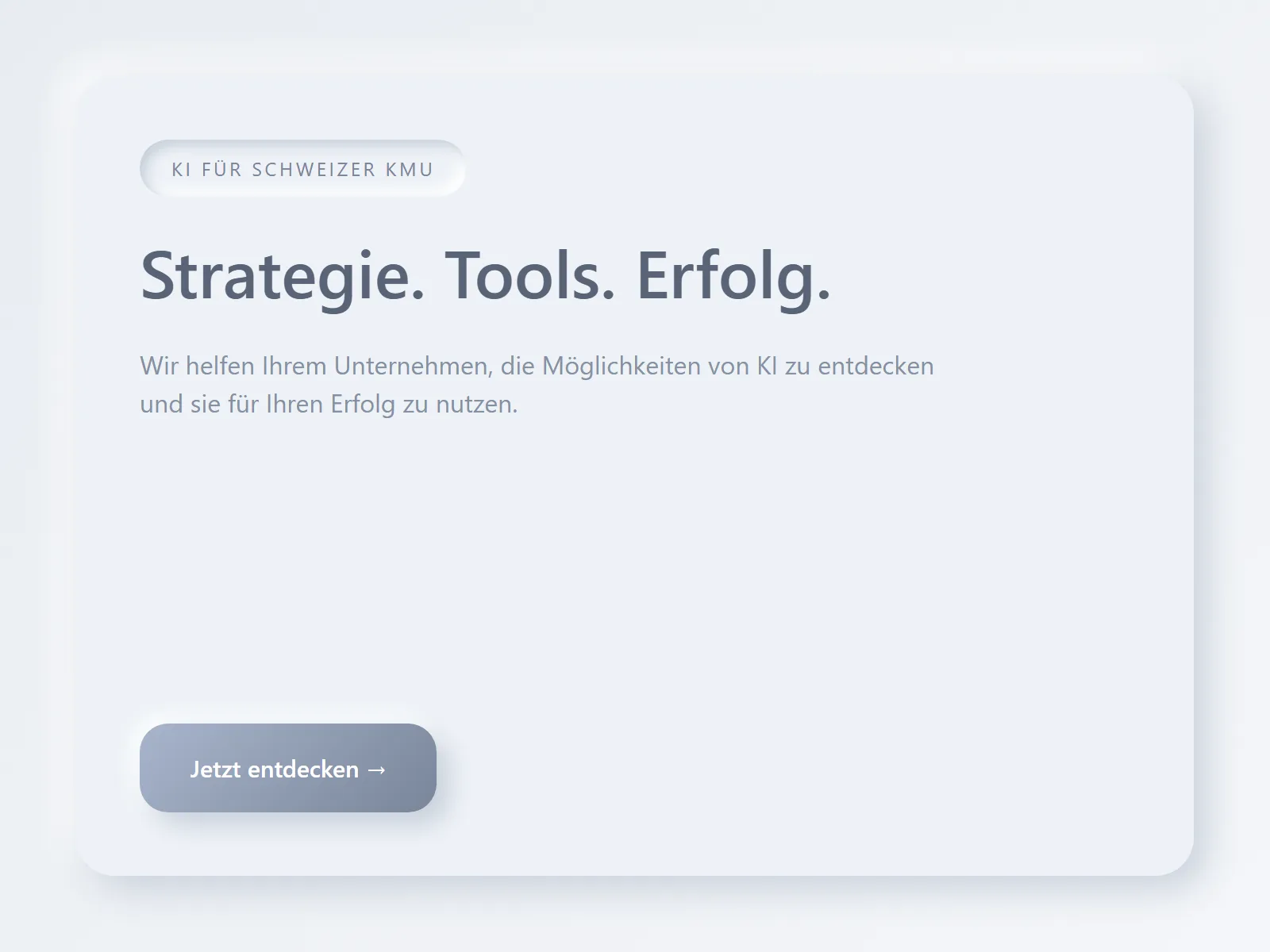
Version 1: Neumorphic
Looked sharp, read like a fog bank. Killed contrast and hierarchy.
3 drafts rejected.
The exact quickstart behind schnellstart.ai: research good websites, draft mockups, give the agent hard rules, ship the site, then improve it every week.
Lukas Huber · last updated n/a · 0 recent changes

What we threw out
We show the rejected versions because they created the rules: fewer effects, sharper copy, more trust.
Looked sharp, read like a fog bank. Killed contrast and hierarchy.
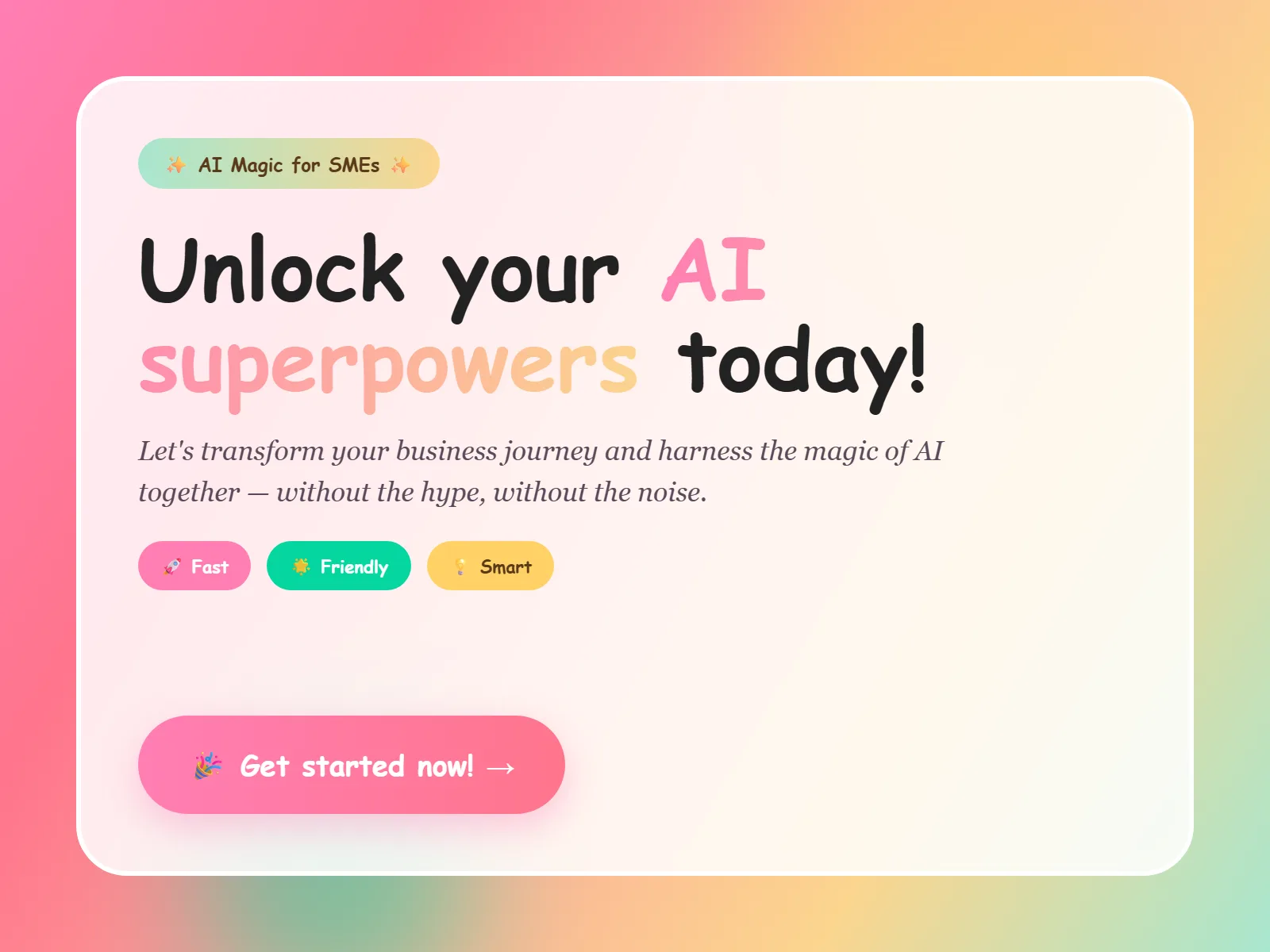
Too many accents. Didn't sell anything.

What stayed: quiet type, hard edges, one accent yellow.
The blueprint
Use these as the brief. They stop the agent from producing a generic template and force it into a trustable website.
Positioning in one sentence.
Who you are, for whom, why you. Three extra words and the lead goes cold.
Write each language natively.
DE and EN apart. No parallel translation. The rhythm dies.
One CTA per page.
Two equals none. Three is a dead end. Each section has exactly one exit.
Editorial Swiss Grid.
Hard edges, quiet type, one accent yellow. Effects break the brand. Type builds it.
Three services, not ten.
Audit · Workshop · Sparring. Anyone offering everything sells nothing.
Pick the stack for speed, not hype.
React + Vite + prerender. Lovable would've worked, but we wanted 1.8s loads, not 8.
SEO through substance.
Clean hreflang, full schema, locked sitemap. No tricks. Google indexes what's indexable.
n8n as the backend, Swiss-hosted.
Webhooks, email, CRM sync, all through n8n on Infomaniak. No Lambda, no US host.
The agent is a junior.
Claude Code with CLAUDE.md rules. Explicit bans. Browse-check before every commit. Otherwise it guesses.
Weekly small PRs.
The market shifts fast. Three commits a week, minimum. Otherwise the site rots while you plan it.
What's under the hood
Our stack is one option. Astro, Lovable, v0, Google Stitch, Framer, or Wix Studio AI can all help, the system matters more than the tool.
Reference sweep
Use Framer, Awwwards, competitors, and sites you already trust. Extract patterns, never copy layouts.
Mockup draft
Use Google Stitch, Figma AI, or Framer to explore the first composition before the repo changes.
Agent brief
Give the agent positioning, proof, CTA, design rules, source links, and banned phrases before asking for code.
Trust layer
Add schema, documented Markdown sources, real screenshots, recent commits, and automated follow-up so the page proves itself.
SEO/GEO first
Google's AI optimization guide is blunt: GEO and AEO are still SEO. The page must be useful, crawlable, snippet-eligible, technically clear, and built for people before it is built for any AI answer box.
01
Write what only you can write: real screenshots, real commits, real failures, real decisions. AI visibility starts with first-hand value.
02
Google can process JavaScript, but content sites are easier to index when the important copy, headings, links, and schema are available as HTML immediately.
03
Astro is a strong default for guides, blogs, landing pages, and documentation because it is content-driven, server-first, and zero-JS by default.
04
Do not create ten thin query-variation pages. Build one useful page with clear sections that answer the fan-out questions naturally.
05
Schema helps eligibility and clarity, but Google says there is no special markup required for generative AI search. Match schema to visible content.
06
Browser agents inspect the DOM, screenshots, accessibility tree, forms, and links. Clean HTML, labels, states, and predictable flows help humans and agents.
When the market shifts
Here are the last three commits we pushed. Live from the repo.
Day 0
Brand kickoff. One hour, one sentence of positioning.
Day 30
Site live, first inquiries land.
Day 90
Iteration 3 locked. Site stable since.
Today
Weekly small PRs, monthly audit round.
The principles that travel
Any AI tool: you have to understand these six.
01
Who you are, for whom, why you. Not longer.
02
Type makes the brand. Effects break it.
03
Anyone offering everything sells nothing.
04
Two CTAs equals none. Three is a dead end.
05
Schema, hreflang, fast pages. No tricks.
06
Clear rules in CLAUDE.md, or it guesses.
Agent operating system
A prompt is not enough. Every repeated decision becomes a rule file, every external system becomes a connector, and every risky change gets a reviewer before it ships.
01
Skillfiles are small instruction files your agent can load on demand: i18n rules, copy voice, design standards, accessibility checks, deployment habits, and banned patterns.
02
Connectors give the agent safe access to real systems: GitHub, calendars, CRM, analytics, email, docs, or cloud dashboards. The rule is simple: tools are explicit, scoped, and logged.
03
One agent writes, another verifies. Use review agents for i18n, SEO schema, deployment readiness, security, performance, and content quality before merging.
04
Cloudflare, Vercel, Azure, or any cloud environment needs written rules: which variables exist, who may change DNS, how redirects work, and what must never be deployed.
05
Protective agents watch for broken links, missing translations, bad schema, leaked secrets, unsafe redirects, failed builds, and form automations that stop following up.
06
Every fix becomes a rule. If the agent breaks umlauts, add an encoding rule. If deployment fails, add a deployment check. The system gets smarter because the rules stay.
Quick answers
Take it home
Three paths depending on how deep you want to go.
25 pages, A4, printable. Drop your email and you'll get it instantly.
Copy this prompt, paste it into ChatGPT, Claude, or Cursor:
You are my AI website build agent. Read https://schnellstart.ai/en/blueprint, then apply the same system to my brand. First ask me for: target buyer, offer, proof, reference sites, preferred tools, CTA, automation/follow-up needs, and cloud/deployment environment. Then produce a fast website plan with positioning, page structure, copy, design rules, Astro-vs-React recommendation, skillfiles, plugins/connectors, SEO/GEO schema, implementation tasks, review subagents, deployment checks, and weekly improvement loop. Keep one CTA per page and avoid generic AI marketing copy.
If you want help
30 minutes, free, with Lukas. Concrete next steps for your blueprint. No sales pitch.
Book the audit call →